Ingestion & ETL (YARRRML to Triples)
Run YARRRML mappings in VS Code to generate RDF triples from source data. neonto compiles the mapping and runs it against CSV, JSON, or database sources.
Typical workflow
- Write rules: Author your
.yarrrmlmapping (see Working with YARRRML). - Preview and export: Optionally compile your rules to RML or R2RML to verify the generated mapping syntax.
- Execute: Run the mapping with SHACL validation enabled to instantly test your output against shapes.
- Iterate: Adjust your YARRRML rules or data sources based on the generated output and validation diagnostics.
Generate triples from a mapping
To generate RDF triples, click the Run mapping editor-title button in the active YARRRML file. You can also select an execution command from the Command Palette. Both commands compile and run the mapping with Morph-KGC. The engine resolves data sources relative to the mapping file:
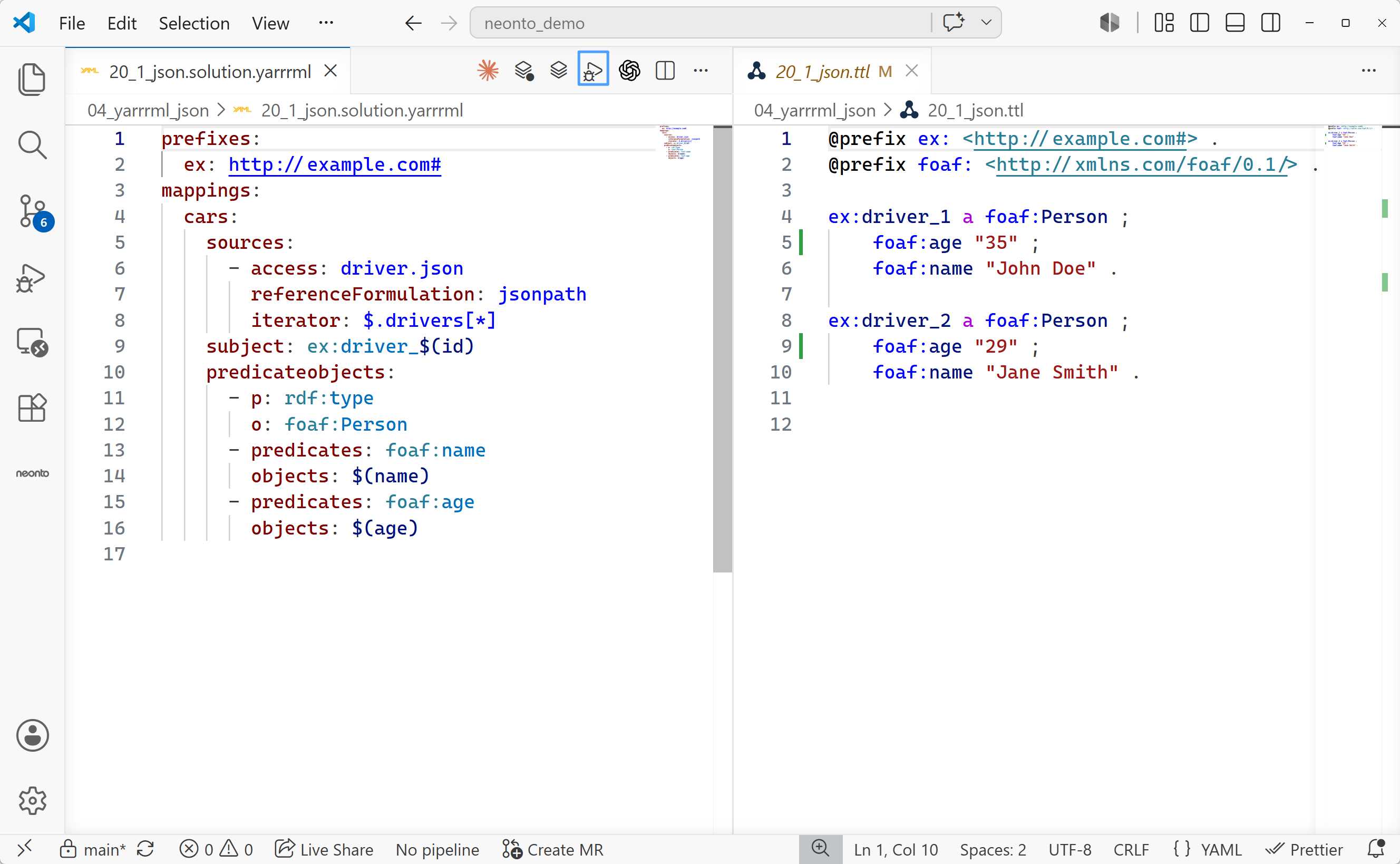
.ttl) file.neonto: Run a mapping file, include SHACL validation if applicable— Generates triples. If a corresponding<mapping-name>.shacl.ttlfile exists in the same folder, the command runs SHACL validation. Use the editor-title button or the Command Palette.neonto: Create Triples from an RML file + Sources— Generates triples without SHACL validation. Use the Command Palette.
Once the engine finishes, the resulting triples are written to a new .ttl file matching the base name of your mapping and opened in a split editor.
Convert YARRRML to RML or R2RML
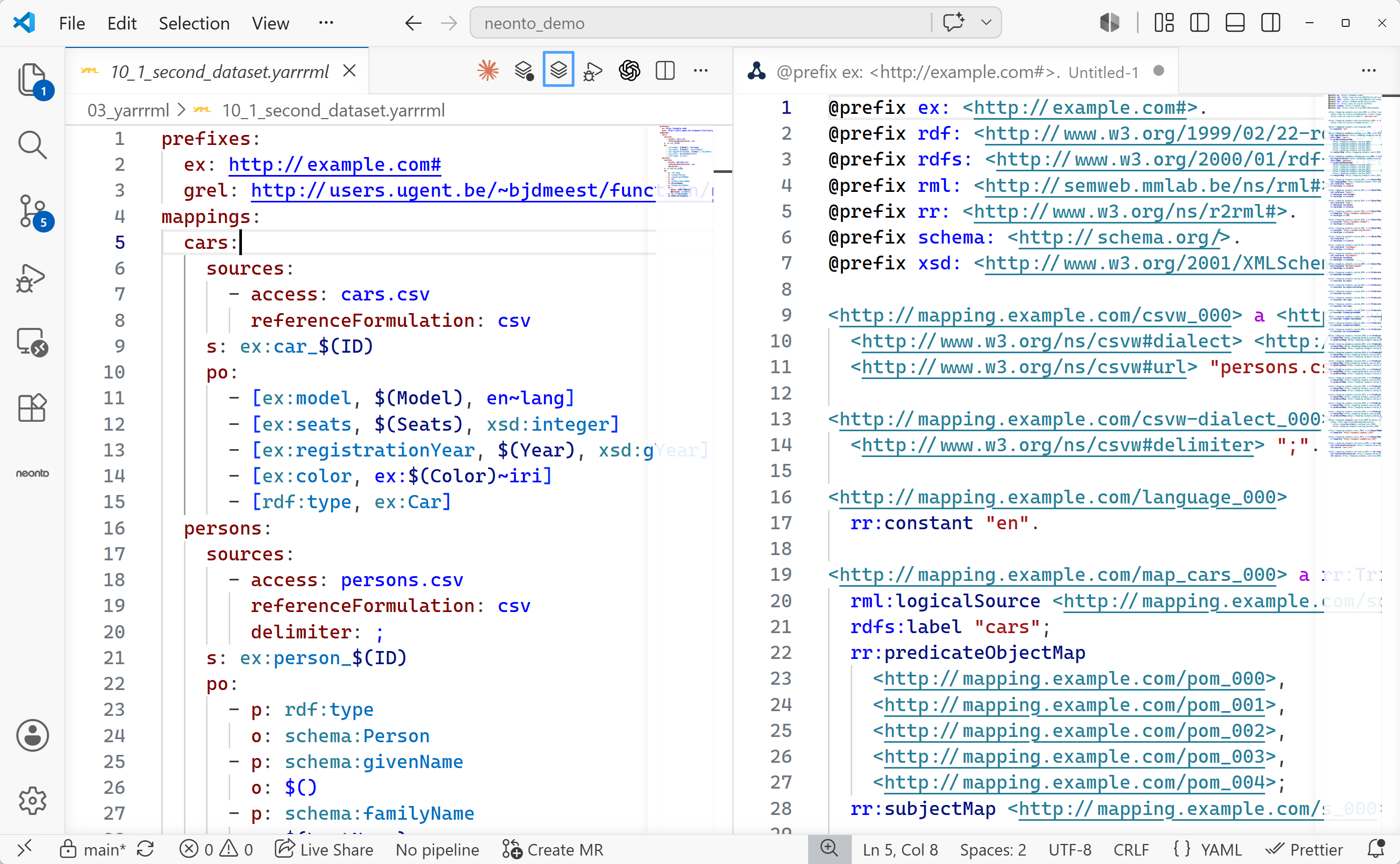
YARRRML is a format for authoring mapping rules. Standard engines often require RML or R2RML. Use neonto to inspect or export these formats for external triple stores or ETL processes.
Two commands are available from the Command Palette (Ctrl+Shift+P / F1) and as editor-title buttons on active YARRRML files:
neonto: Create RML from YARRRML— converts the active.yarrrmldocument to an RML mapping and opens it as a Turtle file.neonto: Create R2RML from YARRRML— converts the active.yarrrmldocument to an R2RML mapping and opens it as a Turtle file.
Performance tuning: Preview length
Set neonto.ingestion.previewLength to control how many source rows appear in completion and hover previews.
For wide or slow-loading files, change this setting in Settings (Ctrl+,):
neonto.ingestion.previewLength(default10, range0–80): Controls how many rows neonto reads from the data source. Lower the setting to improve editor response times for large files. Increase it to see examples from more rows.