Working with YARRRML
YARRRML (.yarrrml, .yarrrml.yml, .yarrrml.yaml) is a human-friendly, declarative YAML syntax for defining rules that map raw data sources (like CSV, JSON, or databases) into RDF triples. Instead of writing complex RML/R2RML schemas directly, you write simple YAML rules. neonto editor extends standard YAML editing with rich, YARRRML-aware auto-completion, hover definitions, syntax diagnostics, and refactoring utilities.
Authoring a mapping
A typical YARRRML file defines prefixes, points to data sources, and maps columns or keys to RDF subjects (s) and predicate-object (po) pairs:
prefixes:
    ex: "http://example.org/"
    foaf: "http://xmlns.com/foaf/0.1/"

mappings:
    person:
        sources:
            - [ "people.csv~csv" ]
        s: ex:$(id)
        po:
            - [ a, foaf:Person ]
            - [ foaf:name, $(name) ]
Autocomplete
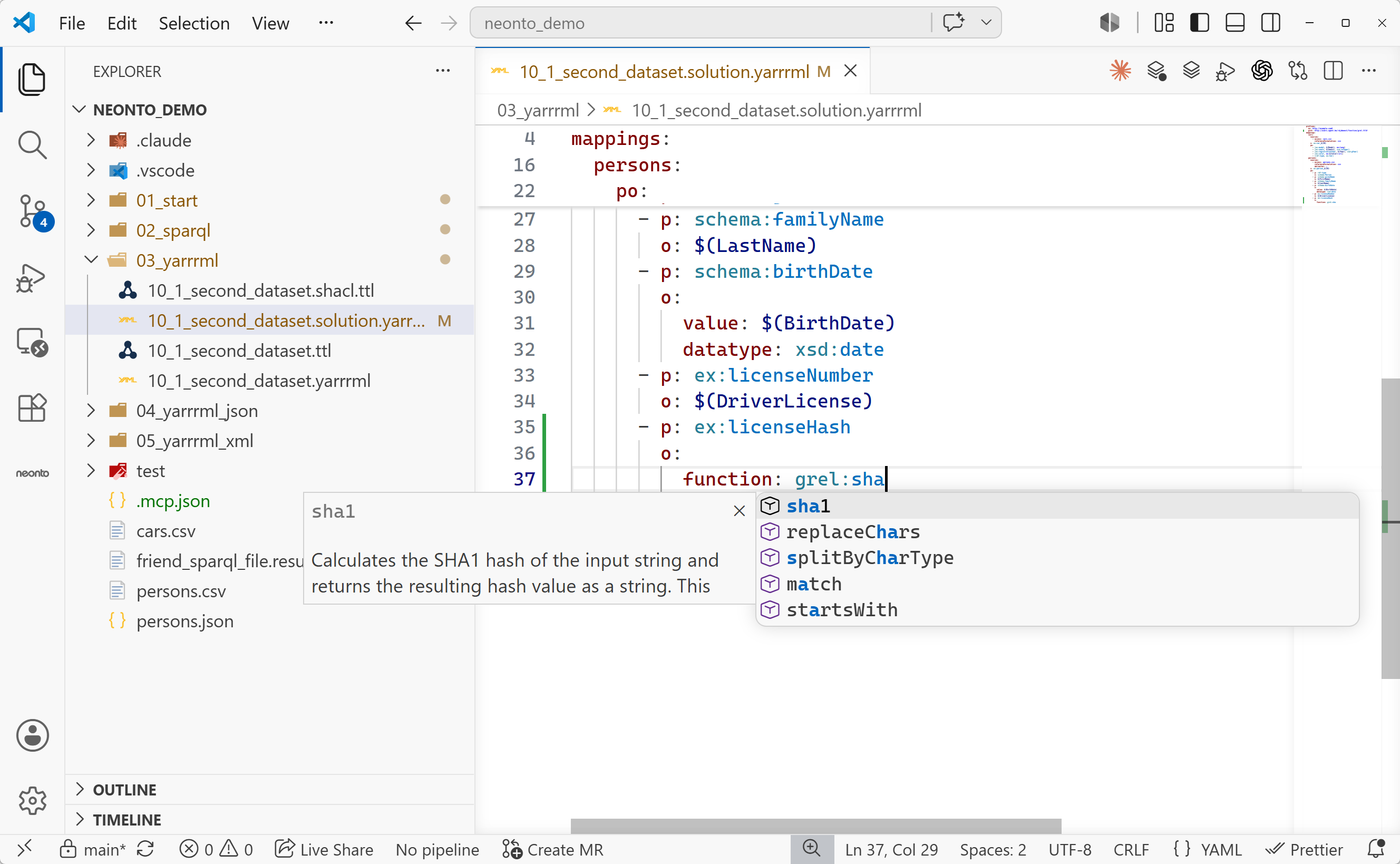
Press Ctrl+Space in a YARRRML file to get completions for:
- YARRRML structure: Core keys like
mappings,sources,s/subject,po/predicateobjects,p/predicate,o/object,datatype,language, andprefixes. - Prefixes: Namespaces declared in the file or available in your workspace.
- Transformation functions: Built-in functions from the Function Ontology (FnO), including string splits, math functions, and hash generators. neonto inserts them as YAML blocks with parameter placeholders.
Function completion settings
Change how neonto inserts function templates in VS Code Settings (Ctrl+,):
| Setting | Default | Description |
|---|---|---|
neonto.ingestion.functionPlaceholder | "Todo - Add Input Value" | The text used as a placeholder for a function's parameters. |
neonto.ingestion.abbreviatedFunctionParameters | false | If enabled, inserts parameter names using short keys rather than full URIs. |
Hover documentation
Hover over a vocabulary prefix, FnO function name, or mapping construct to inspect its documentation, parameters, or full namespace URI. See Working with Turtle to control labels and languages.
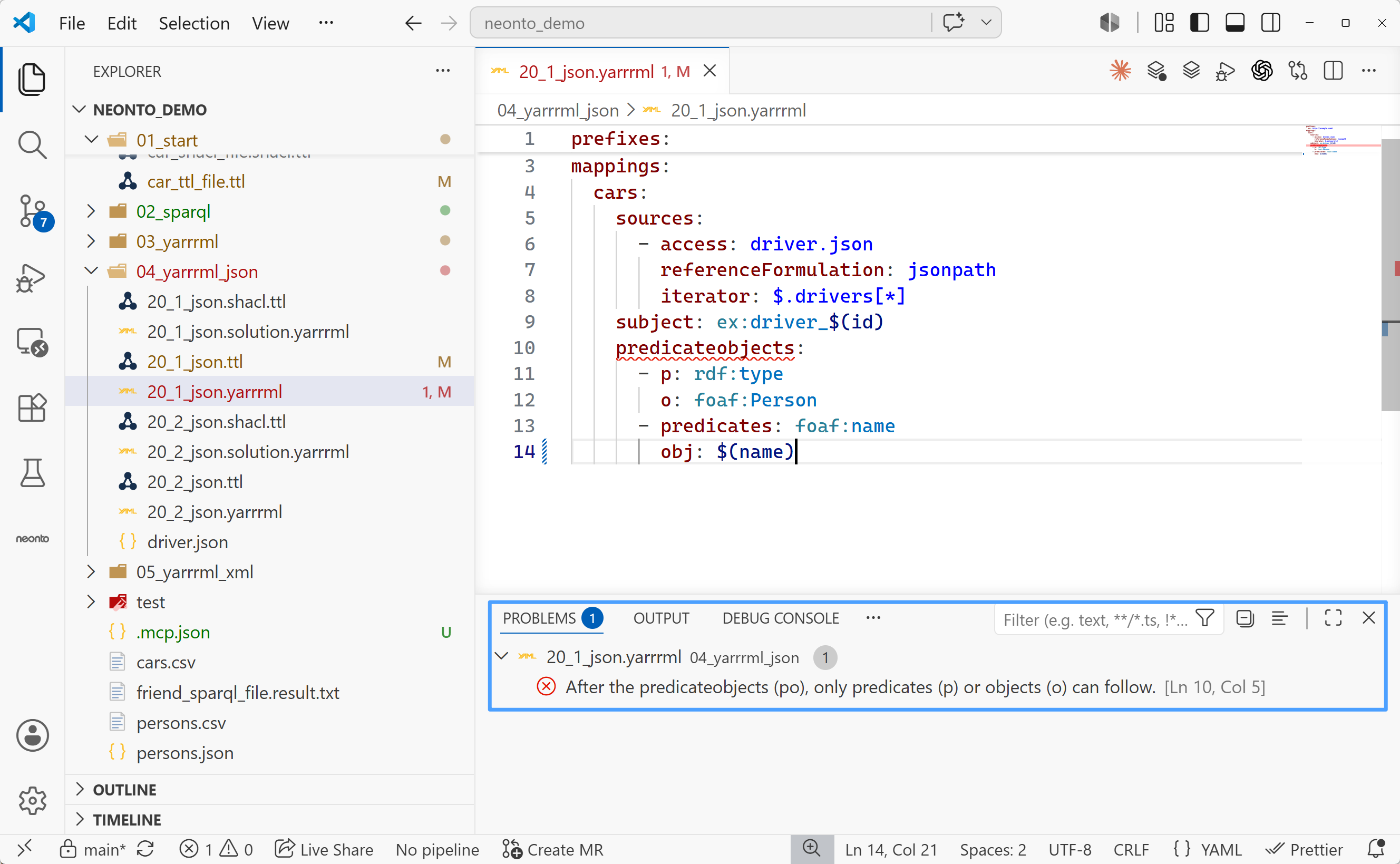
Live diagnostics
neonto analyzes mapping rules as you edit. It flags indentation issues, missing keys, invalid paths, and syntax errors. The editor highlights these issues and lists them in the Problems panel (Ctrl+Shift+M).
Refactoring and utilities
Prefix substitution
Replace full, expanded URIs as follows:
- Open the Command Palette (
Ctrl+Shift+PorF1). - Run
neonto: Replace the full URIs with the prefixes in the file. - Any expanded URIs matching declared prefixes are rewritten into their compact prefixed form.
Browsing available functions
To browse available data transform functions and their arguments:
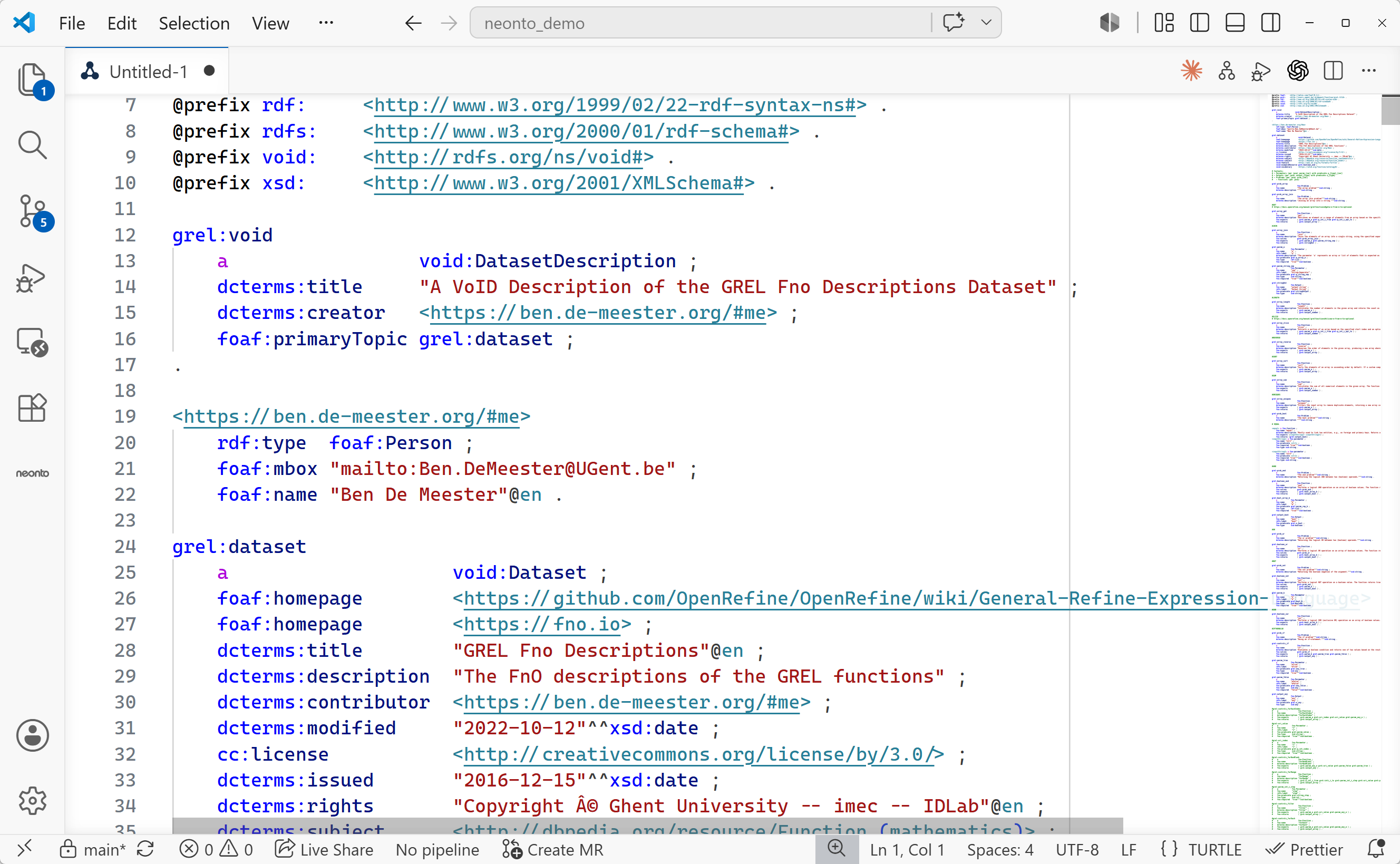
- Run
neonto: Display the function ontology (FnO)from the Command Palette. - A Turtle document opens beside your editor. It describes each supported function, including GREL (General Refine Expression Language) transformations, math helpers, and crypto functions.
Related
- Ingestion & ETL — Converting YARRRML to RML/R2RML and generating RDF triples.
- Working with Turtle