Settings
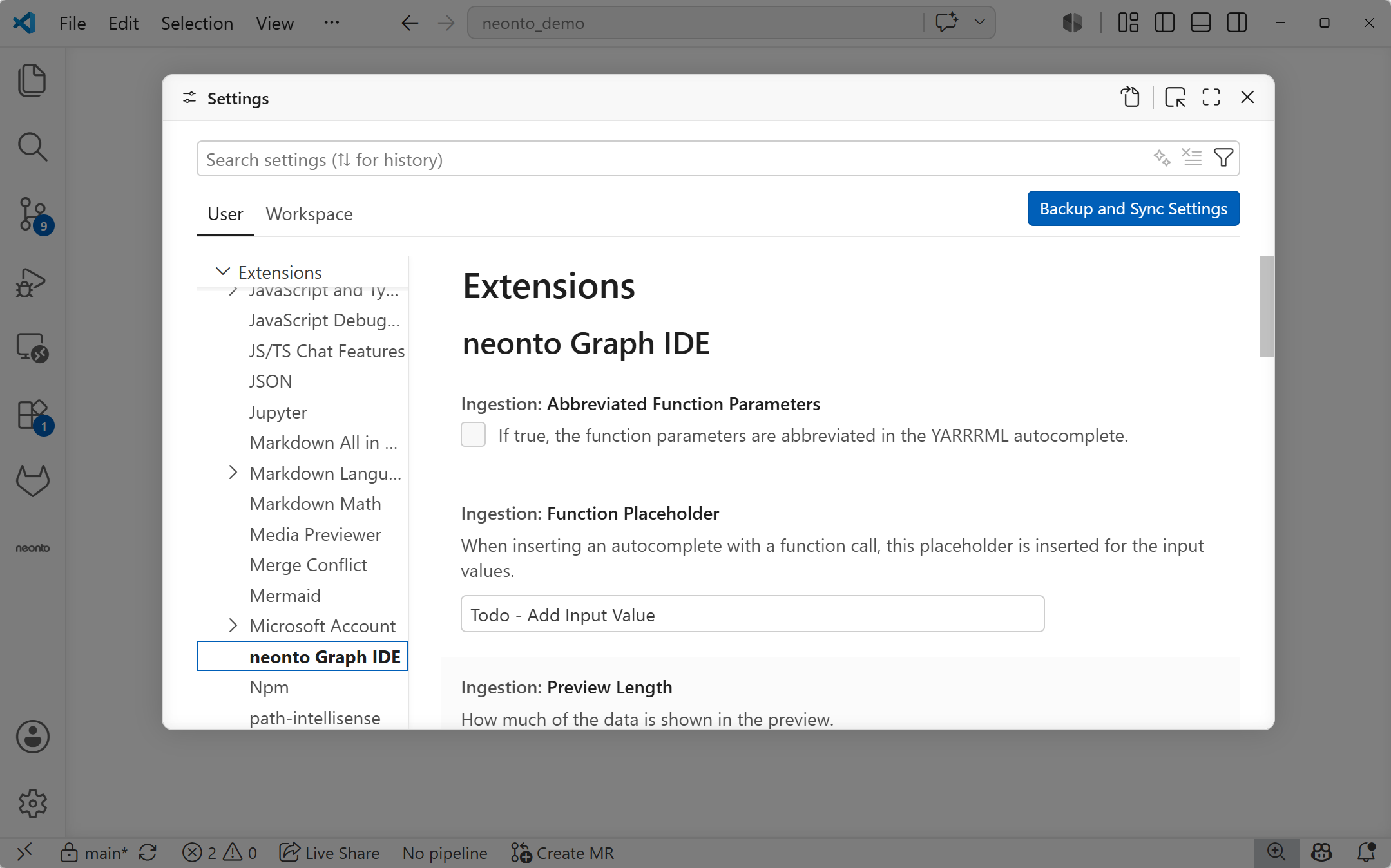
All settings live under the neonto.* configuration namespace. Edit them through Settings (Ctrl+,, then search "neonto" — or select neonto Graph IDE under Extensions in the settings tree) or directly in settings.json.
 **
**
Figure 1. The neonto Graph IDE settings in the VS Code Settings page.
MCP
| Setting id | Type | Default | Range/allowed | Description |
|---|---|---|---|---|
neonto.mcp.port | integer | 6789 | 1024–65535 | Preferred port for the in-process MCP HTTP server. If it's already in use, a random available port is used instead. |
neonto.mcp.allowExternalPaths | boolean | false | — | Allows the MCP file tools (sparql_query, run_yarrrml, validate_yarrrml, yarrrml_inspect_source) to read and write files outside the open workspace folders. Off by default so an agent can't reach arbitrary files; enable only if you need to work outside the workspace. |
See Security.
Ingestion
| Setting id | Type | Default | Range/allowed | Description |
|---|---|---|---|---|
neonto.ingestion.functionPlaceholder | string | "Todo - Add Input Value" | — | Placeholder text inserted for input values when you accept a function-call autocomplete. |
neonto.ingestion.abbreviatedFunctionParameters | boolean | false | — | If true, function parameters are abbreviated in the YARRRML autocomplete. |
neonto.ingestion.previewLength | integer | 10 | 0–80 | How much of the data is shown in the ingestion preview. |
See Ingestion / ETL.
Language Server
| Setting id | Type | Default | Range/allowed | Description |
|---|---|---|---|---|
neonto.langServer.maxFileSize | integer | 256 | 10–512 (MB) | Maximum file size for indexing a workspace RDF file. Its terms are then available for autocompletion, hover, and workspace-wide term resolution. Larger files are not indexed. |
neonto.langServer.liveDiagnosticsMaxFileSizeKb | integer | 1024 | 64–32768 (KB) | Maximum file size for live diagnostics (vocabulary checks and SHACL validation) on each text change. Larger files skip the live pipeline and rely on the on-demand neonto: Run Shacl Validation command. Indexing, completion, and hover still work up to maxFileSize. |
neonto.langServer.sparqlQueryTimeout | integer | 5000 | 2000–20000 (ms) | Time a SPARQL query may run before being aborted. |
neonto.langServer.sparqlStoreCredentials | boolean | null | — | If true, SPARQL store credentials are persisted locally. |
neonto.langServer.labelIris | array (string) | ["http://www.w3.org/2000/01/rdf-schema#label", "http://www.w3.org/2004/02/skos/core#prefLabel"] | — | IRIs used to identify label properties for RDF resources. |
neonto.langServer.commentIris | array (string) | ["http://www.w3.org/2000/01/rdf-schema#comment", "http://www.w3.org/2004/02/skos/core#definition"] | — | IRIs used to identify comment properties for RDF resources. |
neonto.langServer.preferredLanguages | array (string) | ["en"] | — | Ordered list of preferred language tags for displaying labels and comments; earlier entries have priority (e.g. ["en", "de", "fr"]). |
See Managing Data Sources and Endpoint Credentials.
Turtle Formatter
| Setting id | Type | Default | Range/allowed | Description |
|---|---|---|---|---|
neonto.langServer.turtle.periodOnNewLine | boolean | false | — | If true, the Turtle formatter places the statement-terminating . on its own line instead of trailing the last triple. |
neonto.langServer.turtle.abbreviateRdfType | boolean | true | — | If true, the Turtle formatter writes rdf:type using the a shorthand; if false, it writes rdf:type out. |
See Turtle.
Diagnostics
| Setting id | Type | Default | Range/allowed | Description |
|---|---|---|---|---|
neonto.perfLogging | boolean | false | — | If true, logs detailed performance timings to the "neonto Perf" output channel. Intended for diagnostics. |